The coordination platform for Bluebeam & Autodesk Construction Cloud teams

Every markup tracked.
Every resolution synced.

Two parts, one platform. TRACE Sync creates native ACC Issues with 2D sheet pins from your Bluebeam markups and writes resolved status back automatically when work is done in Revit. TRACE Weave threads the related issues into a single coordination item - so a design decision and everything it touches stay connected.

REQUEST EARLY ACCESS TRY IT LIVE WATCH DEMO
EARLY ACCESS LIVE · JUNE 2026
Listed in
BLUEBEAM INTEGRATION DIRECTORY
Works with
AUTODESK CONSTRUCTION CLOUD®

One platform. Two modules.

TRACE is one engine with two parts. Sync keeps Bluebeam and Autodesk in lockstep. Weave threads the related issues together. Here is the whole loop, end to end.

TRACE Sync
The bidirectional pipe
Markup to ACC Issue with a 2D pin, and resolved status back - automatically.
Live today · the base engine
+
TRACE Weave
The coordination layer
Threads the review, the model change, and everything it touches into one item.
TRACE Weave

The coordination layer

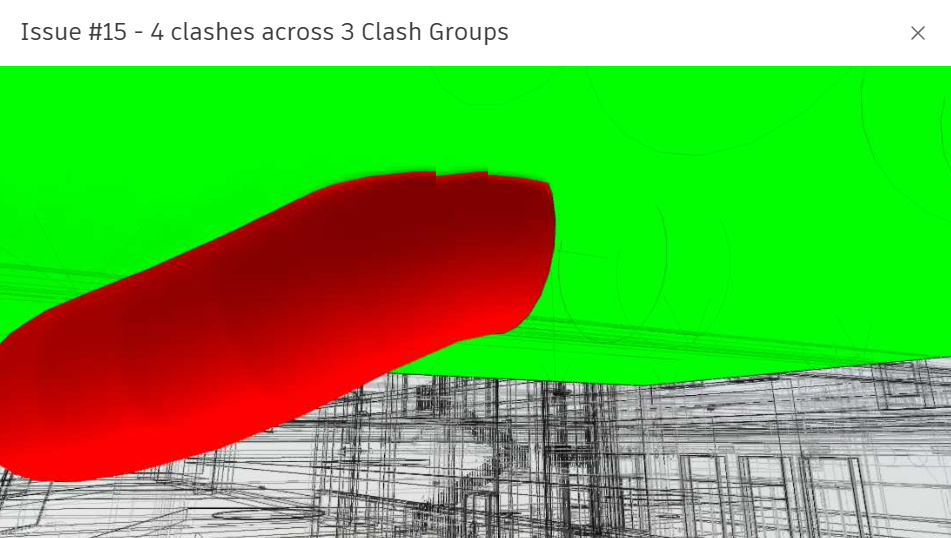
A single design decision spans many issues. Weave threads the review, the model change, and the problems it creates into one coordination item - with human-drawn links. Four things it does:

Two Planes
Linking
Many to Many
Capture Fix
Review and model-clash coordination live · model-health coordination rolling out

Coordination reviews break at the handoff

Every markup reviewed in Bluebeam has to be manually re-entered in ACC. Every resolved issue stays open in Bluebeam. The cycle repeats - manually, every project.

01
Markup in Bluebeam
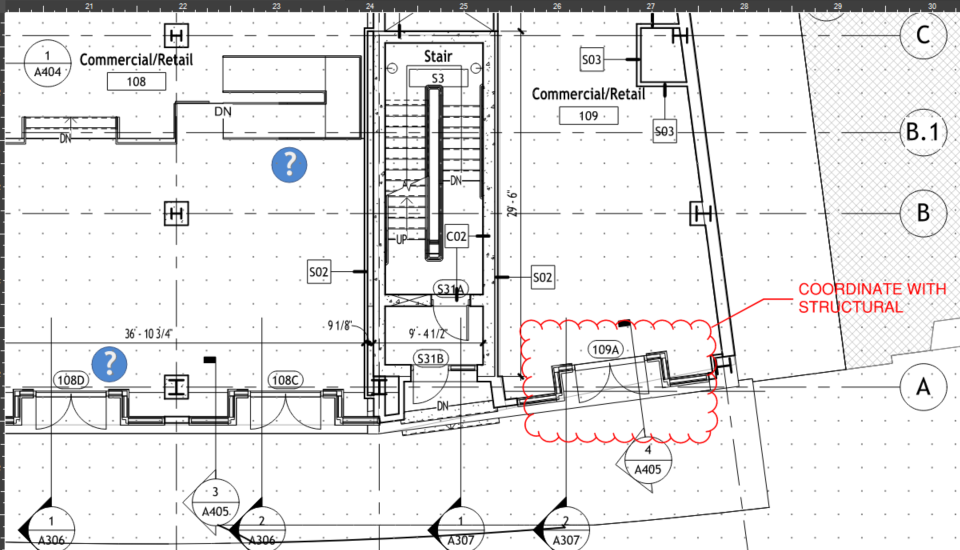
Reviewer marks up the PDF sheet in a Bluebeam Studio Session during coordination review.
02
Manual re-entry
Someone manually re-types each markup as an ACC Issue. No pin. No reference. No audit trail.
03
Modeler resolves in Revit
The modeler closes the ACC Issue after resolving in Revit - but Bluebeam still shows it open.
04
Cycle repeats
Next coordination meeting: same broken handoff, same manual effort, same risk of items falling through.

Three steps. Zero manual handoff.

TRACE runs in the background. Reviewers markup drawings in Bluebeam exactly as they always have. Modelers resolve issues in Revit® software. Nobody changes their workflow - nobody enters data twice.

Bluebeam Revu
Bluebeam Revu
Studio Session
Reviewer marks up PDF sheet during coordination review
markup
"Completed" status
TRACE
TRACE Engine
Sync & Coordination
The bridge. Runs silently - syncs markups both ways, and threads the related issues into coordination items
creates ACC issue + 2D pin
resolved in Revit / issue closed
Autodesk Revit
Autodesk ACC + Revit
One Native Closed Loop
Native ACC issue with 2D pin; modeler resolves in the model and sets the status in Revit (ACC and Revit sync natively)
STEP 01

Markup in Bluebeam - nothing changes

Reviewers mark PDFs in Bluebeam Studio Sessions exactly as they always have. TRACE reads Cloud+, Cloud, Callout, and Pen markups via the Bluebeam v2 API every 15 seconds.

STEP 02

TRACE creates a native ACC Issue with a 2D pin

Each markup becomes a real ACC Issue - not a workaround. A 2D sheet pin lands at the exact coordinates of the markup on the correct sheet. Markup comments carry over as the issue description.

STEP 03

Resolution syncs back automatically

When the modeler closes the ACC Issue after resolving in Revit, TRACE writes "Completed" back to the Bluebeam markup. The loop is fully closed - with no manual steps.

Built on the tools AEC teams already run

TRACE connects Bluebeam Revu and Autodesk Construction Cloud® - a live, bidirectional integration listed in the Bluebeam Integration Directory.

Autodesk AECO Technology Partner

TRACE integrates with Autodesk Construction Cloud®, creating native ACC Issues with 2D sheet pins from Bluebeam markups and writing resolution status back when work is completed in Revit® software.

Bluebeam
Bluebeam Integration Directory

TRACE is listed and featured in the Bluebeam Integration Directory - reading Studio Session markups via the Bluebeam API.

Built for production GC workflows

Every design decision traces back to what GC coordination teams actually need on a live project.

Truly Bidirectional

Status flows both ways - BB markup status changes update ACC; ACC issue closes update BB. No echo loops, no duplicate issues on undo/redo.

Native ACC Issues with 2D Sheet Pins

Creates real Autodesk Construction Cloud Issues, not notes or tags. Each issue carries a 2D pin at the exact sheet location of the original markup.

No Workflow Change

Reviewers stay in Bluebeam. Modelers stay in Revit. PMs stay in ACC. TRACE runs as a silent background service - no new tool to learn.

Exact Sheet Coordinates

Pin coordinates computed from the markup's geometric centroid - not the label anchor. Pins land exactly where the markup is, every time.

Markup Thumbnails Attached

Each ACC Issue gets a cropped screenshot of the markup area attached, sourced via Revu with automatic fallback to local PDF rendering.

Secure, Enterprise-Ready

Runs as a Windows service with no stored passwords. OAuth state validated on every callback. All servers bind to localhost only.

Multi-Sheet Projects

Map Bluebeam PDF pages to ACC Sheet Views in a browser-based setup wizard. PDF page labels auto-detected. Fuzzy name matching pre-fills the mapping.

One-Click Installer

Self-contained installer ZIP with bundled Node.js. Customer extracts and double-clicks install.bat - no developer setup required. Auto-starts on Windows login.

Cloud or Self-Hosted

Run TRACE on our hosted cloud (you manage nothing) or fully self-hosted on your own Windows box - your data never leaves your network. One installer, your call.

Built to pay for itself.

An active project is one Bluebeam Studio Session synced to one ACC project. TRACE syncs one active project at a time today. Concurrent multi-project sync is on the roadmap, and the Growth and Enterprise tiers below reflect it.

Starter
$3,600/yr
Early Access pricing · billed annually
1 active project
Available today
  • Full bidirectional BB ↔ ACC sync
  • Native ACC Issues with 2D sheet pins
  • Markup thumbnails attached to issues
  • Browser-based setup wizard
  • Windows service installer
  • Email support
GET STARTED
Enterprise
Custom
 
Unlimited concurrent projects
Multi-project sync - on the roadmap
  • Everything in Growth
  • Custom onboarding and training
  • Dedicated support contact
  • SLA and MSA available
  • Volume licensing
CONTACT US

All plans include the full TRACE sync engine, installer, and white-glove onboarding. Prices shown are Early Access rates for a limited founding cohort.
Request access below to lock in your Early Access rate. Full list pricing publishes at 1.0 GA.

Early Access

Run your next coordination review
with zero manual handoff.

TRACE is shipping to a limited number of GC teams in June 2026. Early Access customers get white-glove onboarding, locked-in pricing, and direct access to the product team.

REQUEST EARLY ACCESS or email amro@platform-aec.com
Platform AEC
PLATFORM AEC
Design • Data • Intelligence

Platform AEC Inc. is a construction-technology company building software that connects the tools the AEC industry already runs on. TRACE - our bidirectional bridge between Bluebeam and Autodesk Construction Cloud - is the first of more products and services on the way.

Platform AEC's products come directly from 20+ years designing and delivering large, complex BIM projects across multiple geographies. Founder Amro Sallam is a licensed architect (AIA, NCARB) who has built enterprise BIM standards, cloud-delivery platforms, and data-integration workflows from the ground up - so TRACE solves problems lived on real projects, not imagined ones.